Product
Everything an outbound calling team needs, in one place
Build the call plan, import contacts, launch, and read scored results — the AI voice agent handles every conversation in between. Here is each part of the product in detail.
Build a campaign without code
A five-step wizard takes a campaign from a name to a launch-ready call plan.
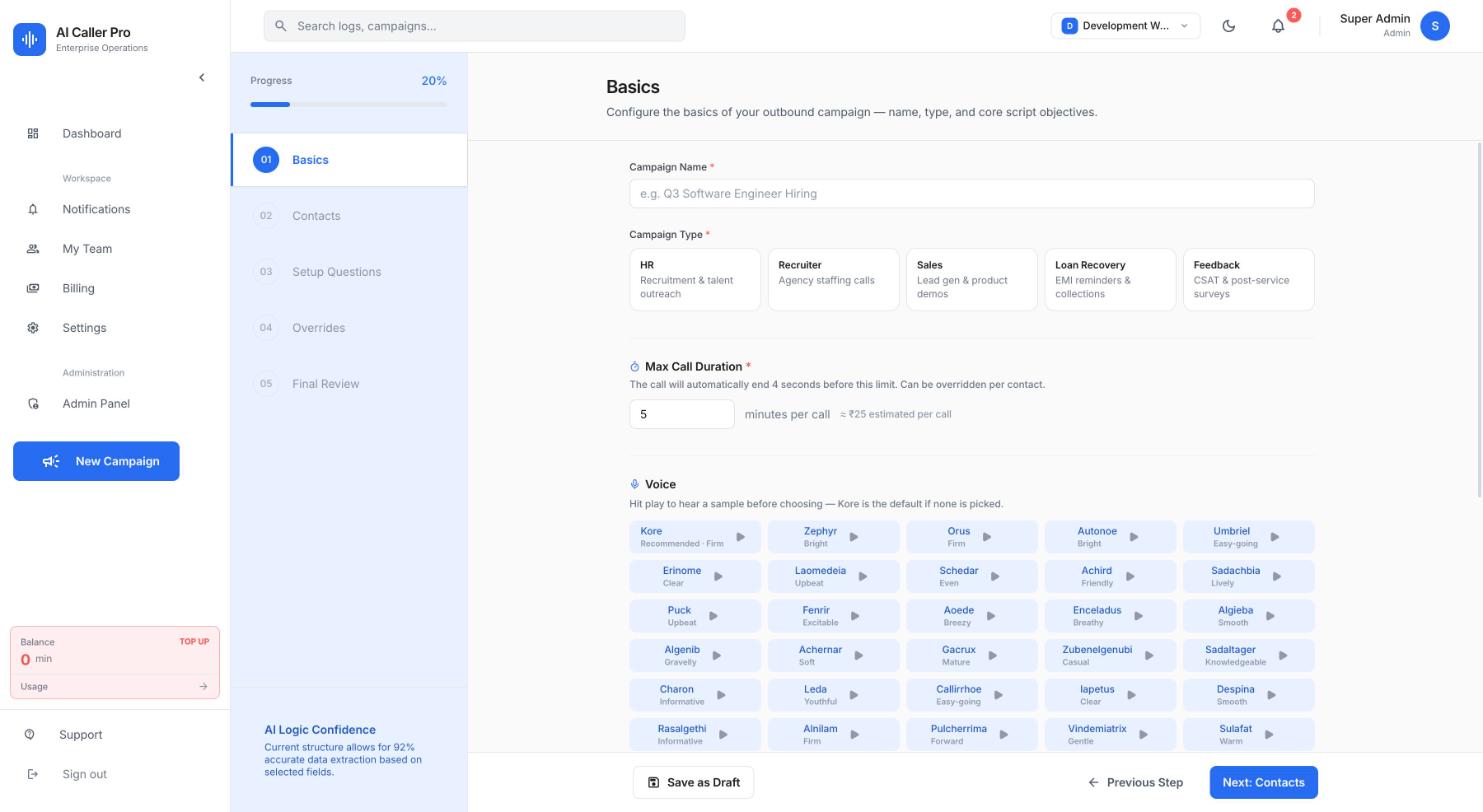
Five campaign types
HR screening, recruiting, sales, loan recovery and customer feedback, each with a sensible starting structure.
Questions with branching
Add questions or information statements, then skip ahead or end the call based on how each answer is scored.
Plain-English scoring
Describe what a good answer looks like in your own words; the model judges every response against it.
30 AI voices
Prebuilt voices from firm to friendly, each with a sample you can play before choosing.
Call guardrails
Set a maximum call duration, an intro, a sign-off and the conditions that end a call early.
Test before launch
Talk to the agent in the AI sandbox to hear exactly how it will open and handle answers.
Bring your contacts as they are
Import a list once and personalise every call from its columns.
CSV and Excel import
Upload .csv, .xlsx or .xls files and map columns once — or add contacts by hand.
Per-contact overrides
Fill names, amounts, dates or any field into the script per contact, and override call settings for individual people.
Duplicate protection
The same phone number is never added to a campaign twice, so nobody is called twice at once.
Run it live
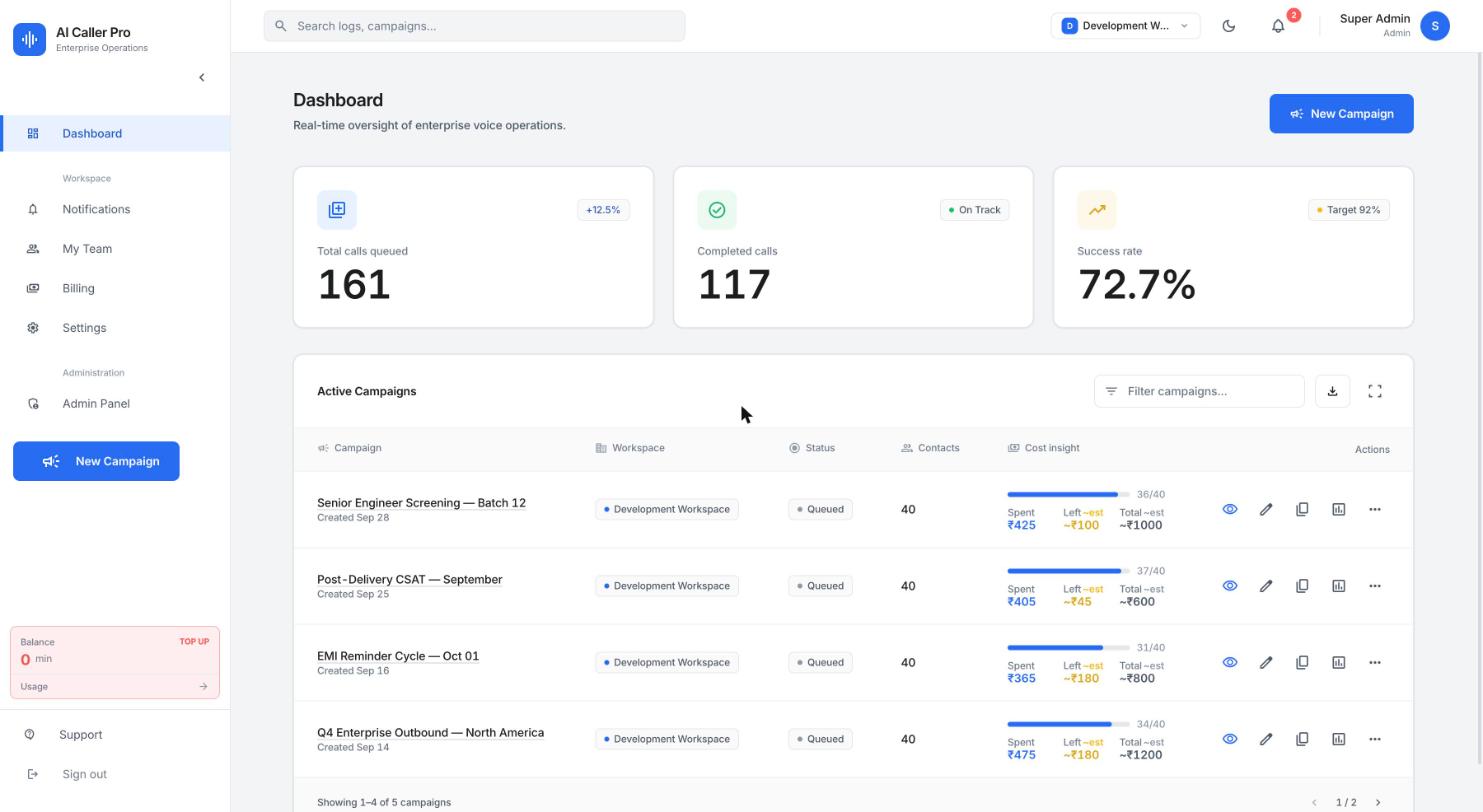
Launch now or schedule a start time, then watch results arrive as calls end.
Natural, interruptible calls
Real-time conversation with barge-in handling — people can talk over the agent, as on a normal call.
English, Hindi and Hinglish
Choose the language per campaign; the agent holds the whole conversation in it.
Scheduled launches
Set a start time and the campaign begins dialling on its own.
Fair concurrency
Per-workspace call limits keep one large campaign from slowing down anyone else’s.
Live progress and spend
Calls queued, completed and success rate update live, with spend tracked against each campaign’s estimate.
Review every call
Each call ends with a recording, a transcript and an evaluation — no manual listening.
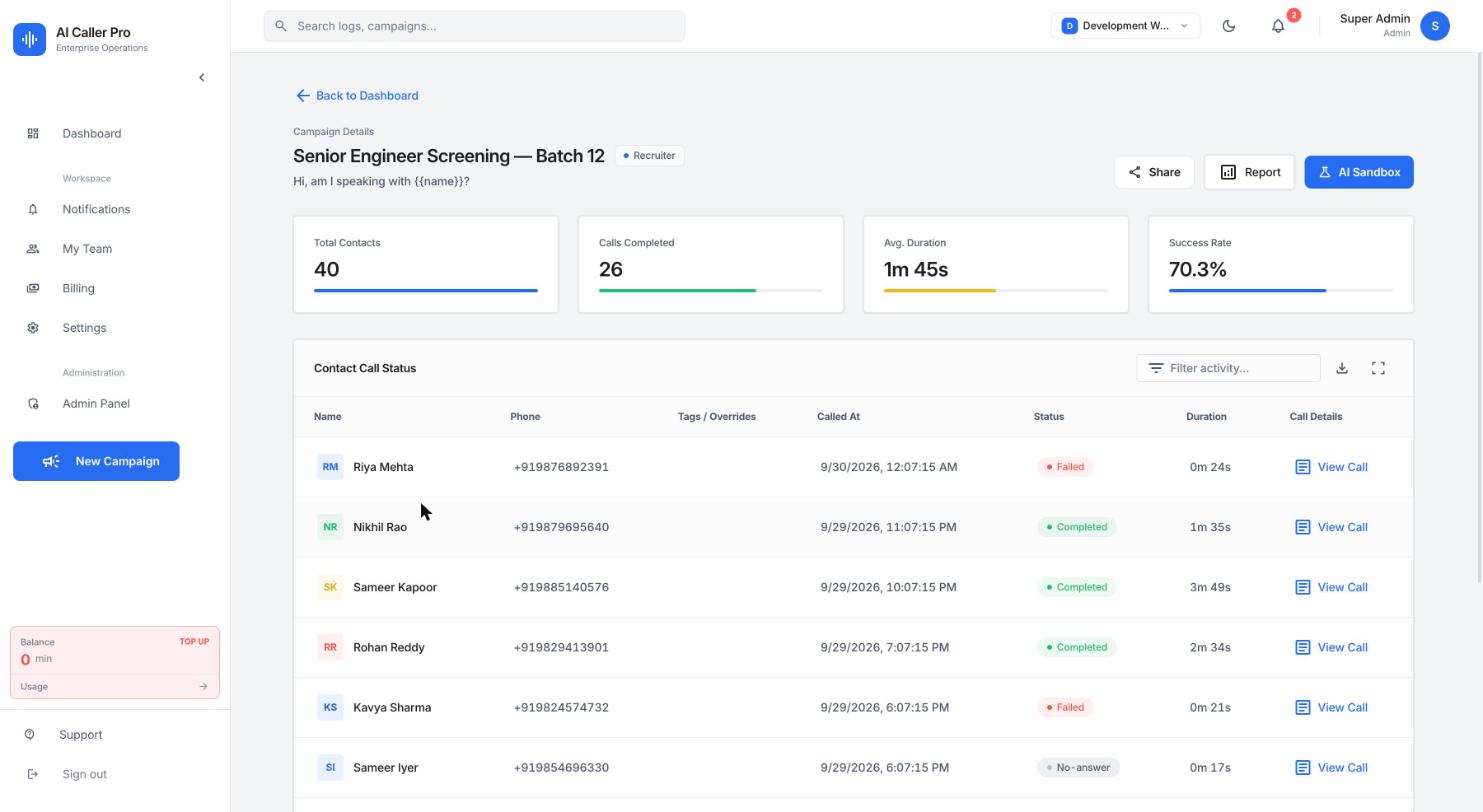
Automatic evaluation
Sentiment, outcome (completed, reschedule, wrong person and more) and a score for every question.
Recordings and transcripts
Every conversation captured and tied to the evaluation that scored it.
Filter, sort and export
Slice results by outcome, sentiment or status and export exactly what you see to CSV.
Shareable reports
Send a campaign or call report to anyone through a link that expires after 3, 7, 14 or 30 days.
Manage your team and spend
Workspaces, roles and minute-based billing for teams of any size.
Workspaces and roles
Separate workspaces per team or client, with admin, editor and viewer roles inside each.
Invite links
Invite teammates by email with the role they should have; links expire on their own.
Email and SMS notifications
Get told when campaigns finish, calls fail or your balance runs low — on the channels you choose.
Minute-based billing
Prepaid minute packs with a per-campaign and per-call usage breakdown.
Put outbound calling on autopilot
Launch your first campaign and see every call scored as it lands.